
Turn SQL queries into APIs & dashboards
Write a query and Kvery.io shows the result as a table right away; turn it into a chart, a REST API or a dashboard tile in a few clicks — no backend code, no extra tooling. Ship data features in minutes instead of weeks.
AI SQL Generation
Natural language to SQL conversion
Auto API Creation
REST APIs from SQL queries
Smart Dashboards
Interactive data visualization
Everything you need to supercharge your database workflow
From AI-powered query generation to automated API creation, Kvery.io provides a complete toolkit for building reports, APIs and dashboards on your SQL databases.
AI-Powered SQL Generation
Describe what you need in plain language and the AI assistant drafts the SQL in your connection's dialect, with your schema as context. It also explains, fixes and optimizes queries. Uses your own OpenAI API key.
Automatic Table Generation
Instantly convert SQL results into beautiful, responsive tables with sorting, filtering, and pagination.
Dynamic Chart Creation
Generate interactive bar, line, mixed, pie and doughnut charts with your own series colors, zoom, and save-as-image.
REST API Generation
Automatically create secure REST APIs from SQL queries with documentation and authentication built-in.
Query Scheduling
Schedule SQL queries to run automatically with CRON-like syntax and get notified of results via email or webhooks.
Enterprise Security
Bank-level security with 2FA, IP whitelisting, per-member permissions with tag-based query access, query execution logs and an API / MCP activity log.
Multi-Database Support
Connect to MySQL, MariaDB, PostgreSQL and SQL Server directly, through an SSH tunnel, or through the on-premise agent.
Mobile Applications
iOS and Android apps — save shared dashboards and reports, open them from a mobile share link or QR code, and keep them refreshed automatically.
Advanced Query Editor
Multi-tab interface with syntax highlighting, autocomplete, and intelligent database schema browsing.
Dashboard Builder
Drag-and-drop dashboard builder with resizable tiles, custom column layouts and shareable links.
Team Collaboration
Multiple workspaces (groups) with per-member edit, sharing and billing rights, tag-based access, and shared query development.
Performance Monitoring
Average runtime and response-code statistics per query and group, execution logs, and automatic tagging of slow queries.
MCP / AI Agent Integration
Built-in Model Context Protocol server — connect any MCP client that supports Streamable HTTP and token authentication to search and run your queries.
Email & Webhook Alerts
Scheduled queries email their results or post them to any http(s) URL — empty results are skipped, so a query that returns rows only when a limit is crossed works as an alert. ON SUCCESS / ON ERROR directives call Slack or any other webhook.
Export & Integrations
Export results to CSV or Excel, get them as JSON from the query's REST API, and push data to other tools with webhooks.
Let AI agents run your SQL queries
Kvery.io has a built-in MCP server. Connect Claude, Cursor, n8n, or any MCP client that supports the Streamable HTTP transport with a bearer token, and let your AI assistant search, read, and execute queries — never with more access than your own account.
Quick setup
Create a token in your user menu → MCP / API Keys, copy the client configuration shown with it, and paste it into your MCP client. No extra server or proxy needed — Kvery's MCP endpoint is always on.
{
  "mcpServers": {
    "kvery": {
      "url": "https://app.kvery.io/mcp",
      "headers": {
        "Authorization": "Bearer kvery_mcp_..."
      }
    }
  }
}
Scoped tokens
Create tokens with optional scope tags — the token then only works on queries tagged accordingly — an optional read-only mode that only allows queries that read data, and an optional Hide SQL mode, so the assistant runs your queries without ever seeing their SQL. Revoke anytime. Tokens expire automatically after 90 days.
Every tool call and REST API call made with your credentials is logged, and you can follow your own activity live in MCP / API Keys → Activity.
Compatible with
Available MCP tools
Six tools cover everything an AI agent needs — list, search, inspect, and execute — all respecting your existing group permissions. Read-only tokens get every tool except the write tool.
kvery_list_queries
List all accessible queries across every group.
kvery_search
Search descriptions, internal notes, or SQL (SQL for editors only, never with a Hide SQL token).
kvery_get_query
Fetch query metadata, parameters, and SQL (SQL for editors only, never with a Hide SQL token).
kvery_execute_query
Run a query that reads data, with parameters, and return live results.
kvery_execute_write_query
Run a query that modifies data. Not offered to read-only tokens.
kvery_list_groups
List the groups you can access.
Also available as REST API
The same token works on plain HTTP endpoints — for curl, Postman, Python, CI pipelines, or any tool that speaks HTTP.
Your dashboards, always in your pocket
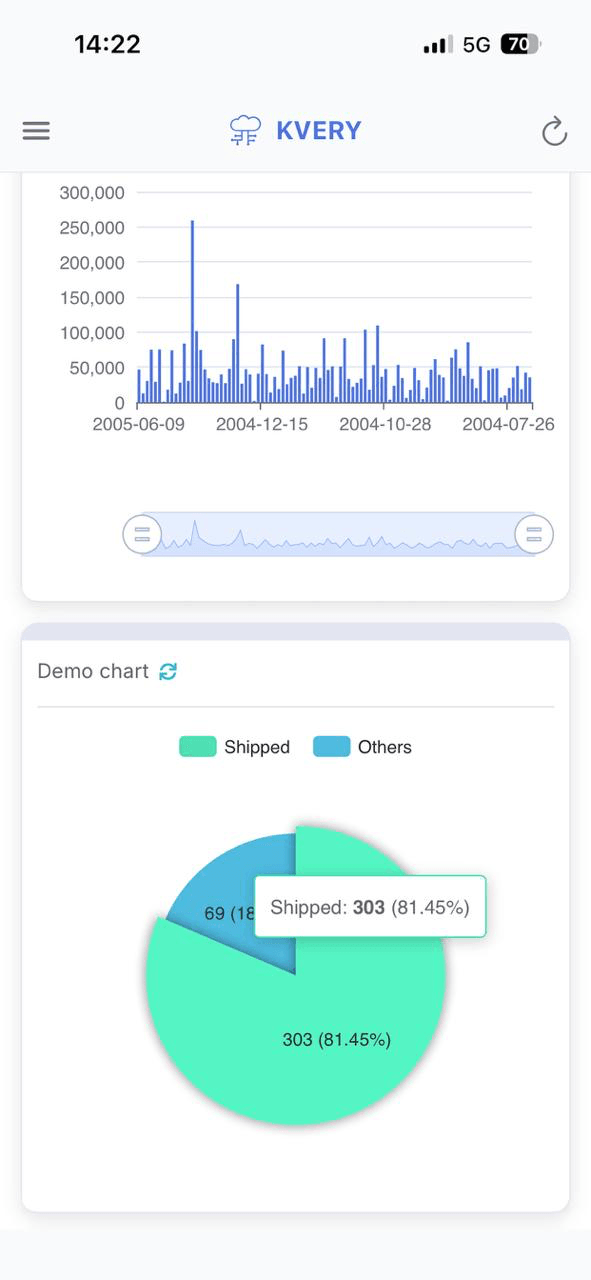
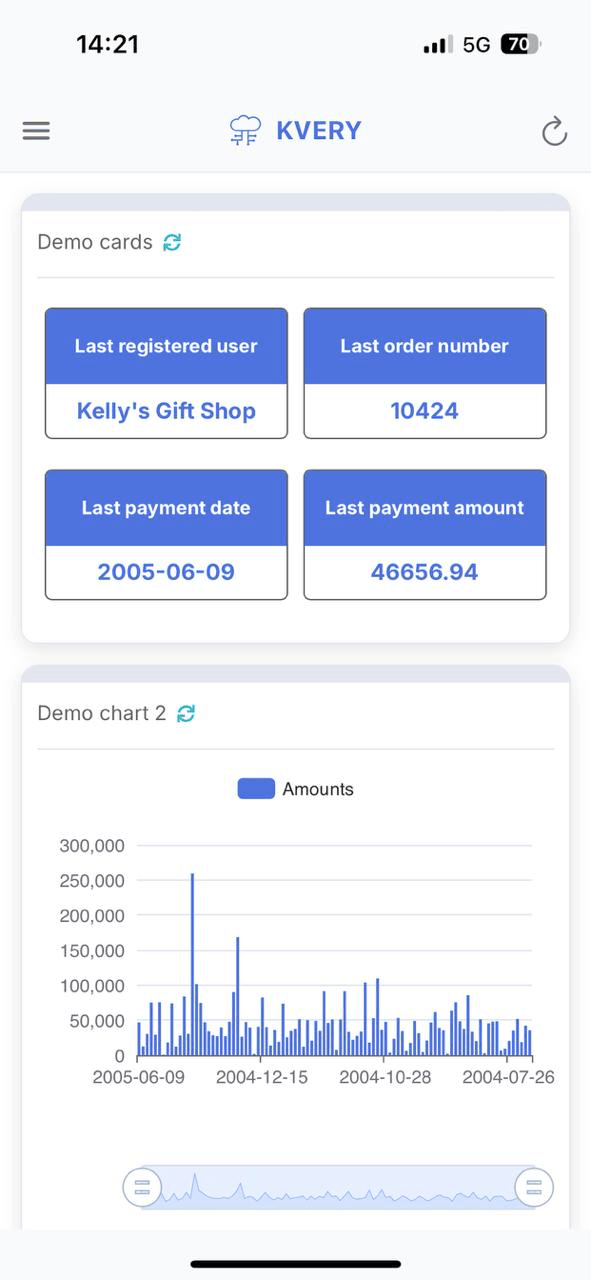
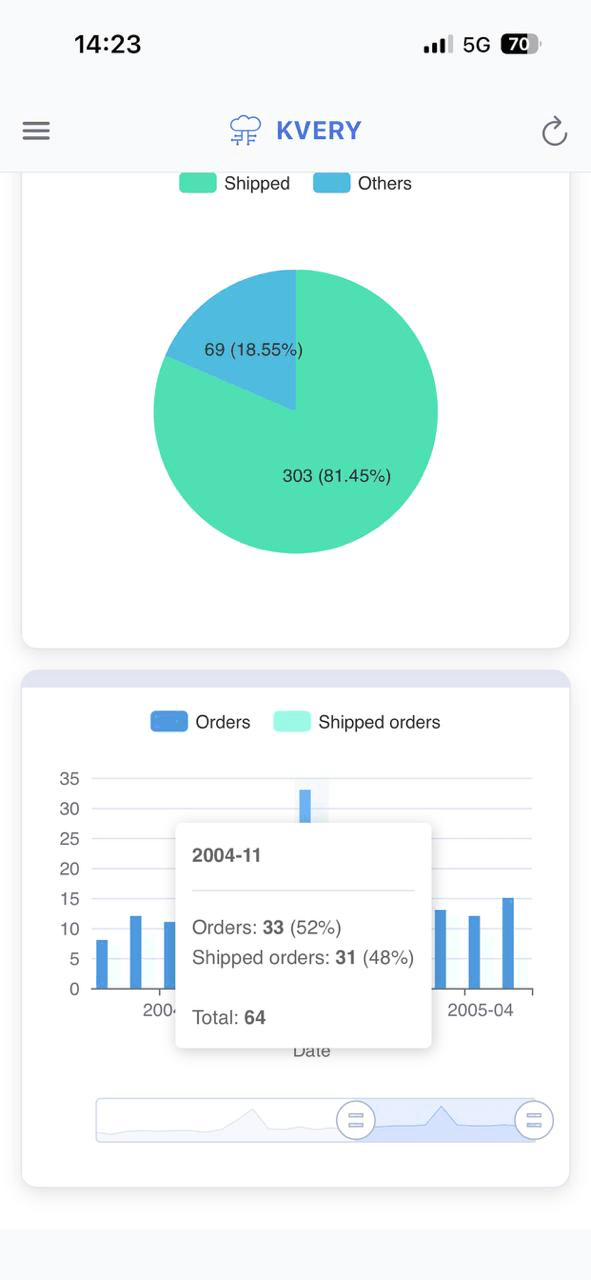
The Kvery.io mobile app brings your SQL dashboards to iOS and Android. Open any saved report in seconds, let it refresh automatically every 5 minutes, and add dashboards shared with you by tapping their mobile share link — no laptop needed.
Save & switch dashboards
Store multiple dashboard URLs and switch between them instantly from the side drawer.
Auto-refresh
The open report reloads automatically every 5 minutes, so your data stays up to date without lifting a finger.
Deep link sharing
Share a dashboard directly to the app — tap the link and it opens immediately.
Haptic feedback
Native iOS and Android haptics for a fluid, tactile experience throughout the app.
OTA updates
Code updates download automatically when the app starts and apply right away, without a store update.
One-tap refresh
Tap the refresh button to reload the open dashboard with the latest data.
Available on
App Store
Available on
Google Play
Why developers and businesses choose Kvery.io
Developers and growing teams use Kvery.io to skip backend boilerplate and ship data-driven features faster — from a single query to a full dashboard.
90% Faster Development
Build data-driven applications in minutes, not months. Our AI-powered platform eliminates the need for custom backend development.
Reduce Development Costs
Eliminate the need for expensive backend developers and complex infrastructure. Generate APIs and dashboards automatically.
Enterprise-Grade Security
Bank-level security with 2FA, encryption, audit logs, and compliance features. Your data is always protected.
Scale with Your Team
From solo developers to enterprise teams. Collaborative workspaces with per-member permissions, and plans from a single user up to 30 users.
Live Insights
Get insights from your data with self-refreshing dashboards, scheduled e-mail reports and per-query runtime statistics.
Save Time Daily
Automate repetitive database tasks, eliminate manual reporting, and focus on what matters most to your business.
Kvery.io transformed our development process. What used to take weeks now takes hours. The AI-powered SQL generation is a game-changer.
Ready to transform your database workflow?
Connect your database and ship your first API and dashboard today — free, no credit card required.
Trusted by teams who ship faster
From solo developers to growing companies, teams use Kvery.io to turn SQL into live APIs and dashboards. Here's what they say about working with it.
Trusted by teams at companies like these




"Kvery.io transformed our development process. What used to take weeks now takes hours, and the AI-assisted SQL generation saves the whole team real time every day.
"Turning a query into a live API and dashboard in minutes changed how we deliver to clients. We ship reporting features that used to need a full backend sprint.
Connection details and queries are encrypted, and the role-based access gives us the control we need to use it for production data with confidence.
The learning curve is gentle. Team members can build useful data views and share them without writing any backend code.
Scheduled queries automated most of our recurring reports, and the webhooks slot neatly into the tools we already use.
Running several queries on one screen to build a tailor-made dashboard is exactly what we needed — no extra BI tool required.
We started on the free plan to validate it, then upgraded as we added more queries and teammates. The pricing scales sensibly with usage.
Sharing a group with editors and viewers keeps collaboration tidy. Everyone works from the same queries with the right level of access.
Built for real, everyday data work
Practical features that teams rely on with Kvery.io
Simple, transparent pricing
Start free with 3 queries — no credit card. Every plan includes all core features; you only pay for more queries and seats as your team grows. Cancel anytime.
Free
Perfect for trying out Kvery.io
- 3 SQL queries
- 1 user
- 1 editor
- All core features included
- AI SQL generation (with your own OpenAI API key)
- API generation
- Dashboard builder
- Charts & visualizations
- Data export
- Community support
Individual
Great for individual developers
- 25 SQL queries
- 1 user
- 1 editor
- All core features included
- AI SQL generation (with your own OpenAI API key)
- API generation
- Dashboard builder
- Charts & visualizations
- Data export
- Email support
Team
Perfect for small teams
- 100 SQL queries
- 10 users
- 3 editors
- All core features included
- AI SQL generation (with your own OpenAI API key)
- API generation
- Dashboard builder
- Charts & visualizations
- Data export
- Priority support
Enterprise
For large organizations
- 250 SQL queries
- 30 users
- 10 editors
- All core features included
- AI SQL generation (with your own OpenAI API key)
- API generation
- Dashboard builder
- Charts & visualizations
- Data export
- Dedicated support
Compare all features
| Features | Free | Individual | Team | Enterprise |
|---|---|---|---|---|
| SQL Queries | 3 | 25 | 100 | 250 |
| Users | 1 | 1 | 10 | 30 |
| Editors | 1 | 1 | 3 | 10 |
| AI SQL Generation (with your own OpenAI API key) | ||||
| API Generation | ||||
| Dashboard Builder | ||||
| Charts & Visualizations | ||||
| Data Export | ||||
| Scheduling | ||||
| Webhooks |
Have questions about our pricing?
Check our FAQ →Frequently asked questions
Have questions about Kvery.io? We've got answers. If you can't find what you're looking for, feel free to reach out to our support team.
No, you can start with our free plan without providing any credit card details. You only need to provide payment information when you decide to upgrade to a paid plan.
We store what the service needs: your profile, your database connection details and queries (encrypted with AES-256), execution logs, and the cached results of queries you turn caching on for (until the expiry you set). Kvery does not keep a copy of your databases. Passwords are hashed, MCP / API tokens are stored only as HMAC-SHA256 hashes, and connection details, queries and your OpenAI API key are encrypted.
Database connection details and query SQL are stored encrypted with AES-256. Queries run on Kvery's servers with the credentials you provide, so results pass through Kvery, and a query you turn caching on for keeps its result until the expiry you set; Kvery does not keep a copy of your databases. For extra protection, connect with a read-only database user.
Basic SQL knowledge is helpful but not required. With your own OpenAI API key, the AI assistant writes SQL from plain-English requests and explains or fixes existing queries. For advanced features, some SQL knowledge will be beneficial.
There are no hidden fees: all features mentioned in your plan are included. Applicable taxes (such as VAT) may be added at checkout, and the AI features use your own OpenAI API key, so OpenAI bills that usage directly. Apart from these, the only additional cost might be for premium support or custom integrations for Enterprise customers.
Kvery supports MySQL, MariaDB, PostgreSQL and Microsoft SQL Server. You can connect directly (PostgreSQL connections can use SSL certificates), through an SSH tunnel, or through the on-premise Kvery agent.
Yes. You can cancel at any time from the Packages page. The group keeps its paid plan until the end of the current billing period and then moves to the Free plan automatically. If the group has more queries than the Free plan allows, its queries do not run until you delete queries or subscribe again.
The AI assistant uses OpenAI models with your own OpenAI API key. Describe the data you want in plain language and it writes the SQL for the query's database; it can also explain and fix existing queries and suggest optimizations.
Absolutely. We use bank-level security with AES-256 encryption, 2FA, IP whitelisting, and comprehensive audit logs. We're SOC 2 compliant and follow industry best practices for data security.
Yes. On the Team and Enterprise plans you can invite members to a group and give each one permissions (editor, manager, billing) and tags that limit which queries they reach. You can create several groups, each with its own plan.
Yes. Kvery has iOS and Android apps: save your shared dashboards and queries from their mobile share link or QR code, switch between them, and let them refresh automatically.
Free plan users get community support. Paid plans include email support, with priority support for Team and Enterprise plans. Enterprise customers also get dedicated support with SLA guarantees.
Yes. Kvery runs your existing SQL, so you can paste queries from other tools into the editor, and you can import spreadsheet rows into a database table through a query. We provide migration assistance, and our team can help you migrate your existing queries and dashboards.
You schedule a query with a preset frequency (every minute to monthly) or a CRON expression, in the timezone you choose. Results can be emailed or posted to URLs (webhooks), optionally only on errors. Perfect for automated reporting.
Yes. Every query can be published as its own REST endpoint (with Swagger documentation), and the MCP / REST API lets scripts and tools list, search, inspect and run your queries with an API token.
Still have questions?
Can't find the answer you're looking for? Our friendly support team is here to help you get started.
Ready to revolutionize your database
workflow?
Connect a database, write your first query, then publish it as a REST API or add it to a dashboard. No credit card, no setup headaches — start free and upgrade only when you need more.